Raycon Everyday Bone Conduction Headphones (Gen 2) (2026) - Full User Manual
Raycon Everyday Bone Conduction Headphones (Gen 2) (2026) - Full User Manual

Everyday Bone Conduction Headphones
An audio companion as strong as you are. Everything you need to pair, wear, charge, and troubleshoot your Gen 2 headphones, plus the fixes people ask about most.
What's in the Box
Unit at a Glance
Functions & Button Control
Power (Multi-Function) Button
| Function | Action |
|---|---|
| Power On | Hold 1.5 seconds |
| Power Off | Hold 3 seconds |
| Play / Pause | Tap once |
| Next Track | Tap twice |
| Previous Track | Tap 3 times |
| Cycle EQ Profile (Balanced / Bass / Pure) | Tap 4 times |
| Answer Call | Tap once |
| End Call | Tap once |
| Reject Call (while ringing) | Tap twice |
Volume Buttons
| Function | Action |
|---|---|
| Volume Up | Tap Volume (+) |
| Volume Down | Tap Volume (-) |
| Factory Reset (when disconnected) | Hold Volume (+) and Volume (-) for 10 seconds |
Sound Profiles
EQ Profiles - tap the power button 4 times to cycle
| Profile | Best for |
|---|---|
| Balanced Sound | Well-rounded, all-around listening. The default setting. |
| Bass Sound | Boosted low end for songs with strong beats. |
| Pure Sound | Refined clarity to hear every note. |
Your EQ choice is remembered after you power the headphones off and on.
Bone conduction sends sound through your cheekbones, so placement matters. Rest the transducers flat against the bone just in front of each ear, not on the soft part of the ear. A good position makes a big difference in how full and loud the audio sounds.
A light vibration is normal for bone conduction, but a strong tickle usually means the volume is too high. Turn the volume down a step and reposition the transducers until the vibration disappears.
Charging Your Headphones
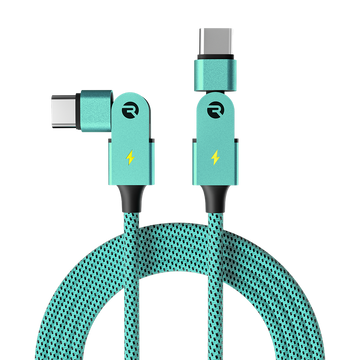
Charge fully before your first listen. Plug the USB-C cable into the charging port on the headphones and the other end into a computer, wall adapter, or power bank.
The LED stays solid red the whole time it's charging.
When the LED turns solid blue, the headphones are fully charged. A full charge takes about 1.5 hours.
Battery Life
Charge fully before first use. Actual battery life varies with volume and EQ profile.
These headphones are IP67 rated for sweat and water, but that protection relies on the charging port flap being closed. Shut the flap over the USB-C port when you are not charging, and never charge while the headphones are wet.
LED Status Guide
| Indicator | Meaning |
|---|---|
| Blinking blue | Powering on |
| Blinking red | Powering off |
| Solid red | Charging |
| Solid blue | Charging complete |
| Alternating blue & red | Pairing mode |
Finding the Best Fit
A good fit is the difference between quiet, tickly sound and full, clear audio. Take a moment to position them well.
Hook the earpieces over your ears and let the band rest behind your head.
Slide each transducer so it sits flat on the cheekbone directly in front of your ear canal, not on the soft cartilage.
If the band feels loose or slips during exercise, use the included Fit Strap to tighten the fit. If you wear glasses, put the headphones on first, then your glasses, and route the arms above or below the earpiece so nothing pushes the transducers off the cheekbone.
Using the Fit Strap
For a more secure fit on smaller head sizes, use the optional Fit Strap to tighten and hold the headphones firmly in place.
Place the headband between the knot and the ring of the Fit Strap.
Push the knot through the ring to lock the strap, then repeat on the other side.
Slide the Fit Strap along the headband to tighten or loosen it; it holds firmly once set.
Put the headphones on and adjust them as needed for a secure, comfortable fit.
Pairing Your Headphones
Long press the power button for about 2 seconds. The headphones turn on and enter pairing mode, with the LED blinking red and blue.
On your device, open Bluetooth settings and select "Raycon Everyday Bone Conduction" from the list. If prompted, confirm the pairing request.
When paired, the LED stops flashing and you will hear a confirmation tone.
Connect to Two Devices at Once
Multipoint lets you stay connected to two devices at the same time, like your phone and laptop, and switch automatically to whichever one is playing audio. Both must be within Bluetooth range with Bluetooth on.
Pair the headphones with your first device (e.g. your smartphone).
Disconnect the headphones from that first device in its Bluetooth settings. The headphones re-enter pairing mode.
Pair the headphones with your second device (e.g. your laptop).
Turn the headphones off, wait 5 seconds, then turn them back on.
The headphones will now connect to both devices when turned back on.
Troubleshooting & FAQ
Sound is too quiet or muffled unless I press them to my head Most Common
- Position matters most: rest each transducer flat on the cheekbone directly in front of your ear, not on the soft ear cartilage.
- Turn the volume up. They start at about 45%, and loudness is controlled on both the headphones and your device.
- If the band is loose, tighten it with the Fit Strap so the transducers stay pressed to the bone.
They feel loose, slip, or do not fit my head Most Common
- Use the included Fit Strap to shorten the band for a snugger fit.
- Hook the earpieces over your ears first, then rest the band behind your head so it sits level.
Strong tickle or vibration, especially at high volume Common
- A light vibration is normal for bone conduction; a strong tickle means the volume is too high.
- Lower the volume a step and reposition the transducers flat on the cheekbone.
Battery does not last as long as expected Common
- Charge fully for about 1.5 hours before first use; the LED turns solid blue when complete.
- High volume and Bass EQ use more power, so expect the lower end of the range with both.
- If a full charge only lasts an hour or two, the unit may be defective. Contact Raycon Customer Support for warranty help.
Bluetooth keeps cutting out or is weak Common
- Keep your device within about 10 meters (33 ft) and, with a TV, as close to line-of-sight as possible.
- Make sure both the headphones and your device are charged; a low battery on either side weakens the connection.
- Remove "Raycon Everyday Bone Conduction" from any other paired devices, then reconnect. If it persists, factory reset and pair fresh.
People can't hear me on calls
- Gently clean the two microphone openings; sweat and debris muffle them.
- Keep your phone close during calls and avoid very noisy environments where possible.
- Confirm the call is routing to the headphones and not your phone's speaker.
The headphones will not charge
- Try a different USB-C cable or wall adapter, and inspect the cable for damage.
- Make sure the charging port and cable end are clean and dry, and that the cable is fully seated.
How do I reset my headphones?
- Delete "Raycon Everyday Bone Conduction" from your device's Bluetooth settings.
- With the headphones on but disconnected, hold Volume (+) and Volume (-) together for 10 seconds until the red and blue lights stay on for 5 seconds.
Factory Reset
Delete "Raycon Everyday Bone Conduction" from the Bluetooth settings on your device.
With the headphones on but disconnected, press and hold Volume (+) and Volume (-) together for 10 seconds. The red and blue lights stay on together for 5 seconds to confirm, then the headphones power off.
Turn the headphones back on and pair them again with your phone or other Bluetooth device.
Product Specifications
Safety & Warranty
Safety Guidelines
- Be wary of any edges, uneven surfaces, and metal parts, including on accessories and packaging, to prevent injury or damage.
- Listen at a proper volume to protect your hearing and your headphones.
- Do not store in high temperatures, such as a hot vehicle or direct sunlight.
- Do not expose the headphones or supplied parts to rain or other liquids for extended periods.
- Do not drop or cause undue impact to the headphones.
- Do not modify, repair, or dismantle the product on your own.
- Do not use any diluent or volatile liquid to clean the product.
- Do not use the product in a hazardous location.
- Ensure the charging port flap is securely closed if exposing the headphones to liquid.
- Do not expose the headphones to water while charging.
- When cleaning, use a soft dry cloth; for tougher stains, dampen with water only.
Support
If your device isn't working properly, visit rayconglobal.com/support and our team will be glad to help.
Limited Warranty
Your Raycon Everyday Bone Conduction Headphones (Gen 2) are covered by a limited warranty. Visit rayconglobal.com/warranty for details.
Compliance & Regulatory
FCC Warning: This device complies with Part 15 of the FCC Rules. Operation is subject to the following two conditions: (1) this device may not cause harmful interference, and (2) this device must accept any interference received, including interference that may cause undesired operation. Any changes or modifications not expressly approved by the party responsible for compliance could void the user's authority to operate the device.
NOTE: This equipment has been tested and found to comply with the limits for a Class B digital device, pursuant to Part 15 of the FCC Rules. These limits are designed to provide reasonable protection against harmful interference in a residential installation. This equipment generates, uses, and can radiate radio frequency energy and, if not installed and used in accordance with the instructions, may cause harmful interference to radio communications. However, there is no guarantee that interference will not occur in a particular installation. If this equipment does cause harmful interference to radio or television reception, which can be determined by turning the equipment off and on, the user is encouraged to try to correct the interference by reorienting or relocating the receiving antenna, increasing the separation between the equipment and receiver, connecting the equipment into an outlet on a circuit different from that to which the receiver is connected, or consulting the dealer or an experienced radio/TV technician for help.
IC (ISED Canada): This device contains licence-exempt transmitter(s)/receiver(s) that comply with Innovation, Science and Economic Development Canada's licence-exempt RSS(s). Operation is subject to the following two conditions: (1) this device may not cause interference, and (2) this device must accept any interference, including interference that may cause undesired operation of the device.
RF Exposure: This equipment complies with Canada radiation exposure limits set forth for an uncontrolled environment and has been evaluated to meet general RF exposure requirements. It can be used in portable exposure conditions without restriction.