Raycon Open Earbuds Full User Manual
Raycon Open Earbuds Full User Manual
Full User Manual
The Open Earbuds
Open-ear design · 8 hrs playtime · 40 hrs total · Multipoint · Bluetooth 5.4
🌐 How Open Earbuds Work
Unlike in-ear earbuds, the Open Earbuds sit above your ear canal — they do not seal inside your ear. Sound is delivered through an external driver. This means you can hear your music and your surroundings simultaneously — great for running, commuting, and all-day wear. It also means people nearby may be able to hear your audio at higher volumes. This is by design, not a defect.
Section 01
What's in the Box
The Open Earbuds use an adjustable over-ear hook and do not require gel or silicone ear tips. If you're looking for in-ear buds with tip options, check out the Everyday Earbuds or Fitness Earbuds lines.
Section 02
Quick Setup
-
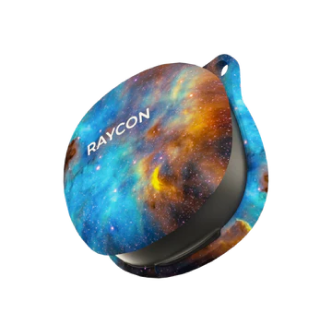
Take earbuds out of the capsule
Both earbuds connect to each other automatically and enter Pairing Mode — you'll see alternating white lights flashing.
-
Open Bluetooth on your device
Go to Settings → Bluetooth and ensure Bluetooth is enabled.
-
Select "Raycon Open Earbuds"
Find it in the list of available devices and tap to connect. The LED will hold solid white when connected.
Pair to Device 1 → disconnect from Device 1 via its Bluetooth settings (don't forget/delete) → pair to Device 2 → place earbuds in case, close lid → open lid. Both devices now connect simultaneously. Audio automatically switches to the active device.
Section 03
Touch Controls
The Open Earbuds do not have volume adjustment on the touch surface. Use your phone or connected device to change volume. This is the most common complaint from first-time users — know going in and it won't catch you off guard.
When adjusting the fit or rotating the hook, hold the earbud body rather than the touch surface. Clothes, hat brims, or shoulder bags brushing against the touch surface can accidentally trigger playback changes.
Left Earbud Controls
| Gesture | Action |
|---|---|
| Tap once | Volume Down (on connected device) |
| Tap 3 times | Previous Track |
Right Earbud Controls
| Gesture | Action |
|---|---|
| Tap once | Volume Up (on connected device) |
| Tap 3 times | Skip Track |
Both Earbuds (Left or Right)
| Gesture | Action |
|---|---|
| Tap twice | Play / Pause |
| Tap 4 times | Voice Command (Siri / Google Assistant) |
| Tap twice (incoming call) | Answer Call |
| Tap twice (active call) | End Call |
| Hold 3 seconds (incoming call) | Reject Call |
| Hold 2 seconds (powered off) | Power On |
| Hold 10 seconds | Power Off |
L tap once = volume down, R tap once = volume up works, but only signals your device to change its own volume. If you're using a device with low max volume, use the physical volume buttons on your phone for faster control — especially during calls.
Section 04
LED Status Guide
The Open Earbuds use a simple single-color white LED system — capsule and earbuds both display white only.
Capsule LED
| LED Pattern | Meaning |
|---|---|
| Blinks once | Earbuds placed into or removed from capsule |
| Solid White | Capsule fully charged |
Earbud LED
| LED Pattern | Meaning |
|---|---|
| Alternating White | Pairing Mode — looking for device |
| Solid White | Connected to device |
| Solid White (when removed) | Powering Off |
| White Flash | Incoming call |
The capsule blinks white once when you place earbuds in. The earbuds themselves will flash white during charging. When the capsule LED shows solid white, the capsule itself is fully charged — this doesn't indicate earbud charge level separately.
Section 05
Charging Your Earbuds
-
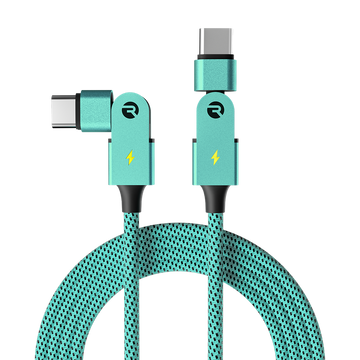
Plug USB-C cable into the capsule port
Use the included USB-C cable. The capsule LED will flash white during charging.
-
When you place earbuds in the capsule
The capsule LED blinks white once to confirm they're seated. Earbud LEDs will flash white while charging.
-
Capsule is fully charged when LED holds solid white
A full capsule charge takes approximately 1.5 hours from empty.
Battery Life Overview
Battery life varies by volume level and Bluetooth conditions. Total 40 hrs includes multiple capsule recharges of the earbuds.
Multiple customers have reported the touch surface accidentally triggering when earbuds are stored in a pocket or loose bag without being in the capsule. Always store them in the charging capsule with the lid closed when not in use.
The Open Earbuds capsule charges via USB-C only. Wireless Qi charging is not supported on this model.
Section 06
Finding the Perfect Fit
The Open Earbuds use an over-ear hook that can be rotated for a custom fit. Getting this right is essential — it's the most reported frustration from first-time users.
Open earbuds need to be positioned correctly to deliver audio. If the driver is angled away from your ear canal even slightly, volume drops significantly. Try rotating the earbud until the audio is fullest — that's your sweet spot.
The over-ear hook can feel snug initially, especially on larger ears. Give it a few sessions to conform — the material softens slightly with wear. If it's causing pain after 30 minutes of use, the size may not be right for your ear shape. Contact Raycon Support for assistance.
If Earbuds Keep Falling Out
- Adjust the rotation angle
Try rotating the earbud to a different angle before placing it over your ear. A few degrees can make a significant difference in stability.
- Position above the canal
The driver should sit slightly above your ear canal opening — not inside it, and not below the tragus (the small flap of cartilage).
- Move your head to test
If they stay secure through head movement, you've found the right position.
Cleaning
Use a soft, dry cloth to gently wipe the exterior. For the capsule, use a slightly damp cloth — no harsh chemicals, water inside charging ports, or excessive moisture near electronic components.
Section 07
Advanced Features
Multipoint: Two Devices at Once
Connect your Open Earbuds to your phone and laptop simultaneously. Audio routes automatically to whichever device is actively playing.
- Pair to Device 1
e.g. your smartphone — standard pairing as described in Section 02.
- Disconnect from Device 1 via Bluetooth settings
Tap "Disconnect" — do not forget/delete the pairing. Earbuds re-enter Pairing Mode.
- Pair to Device 2
e.g. your laptop — select "Raycon Open Earbuds" in its Bluetooth settings.
- Place earbuds in capsule, close lid
Wait a few seconds.
- Open lid and remove earbuds
Both devices now connect automatically. Play audio on either — earbuds follow the active source.
Reset Instructions
A reset resolves most connectivity and sync issues.
- Delete "Raycon Open Earbuds" from your Bluetooth device list
Settings → Bluetooth → Forget Device.
- Place both earbuds in the capsule
Both must be inside.
- Close the capsule lid and wait 5–10 seconds
This is the reset — there's no button to press on this model. The earbuds reset automatically when both are cased and the lid is closed.
- Open the lid
Earbuds re-enter Pairing Mode (alternating white flash). Pair fresh from your device's Bluetooth settings.
Section 08 · Built from Customer Feedback
Troubleshooting & FAQ
People around me can hear my music — is that normal?
Yes — this is a fundamental characteristic of open-ear audio. Because the driver doesn't seal inside your ear canal, sound radiates outward. At higher volumes, people within a few feet can hear it.
This is the design tradeoff that makes open earbuds great: you can hear your music and your surroundings at the same time. If you want completely private listening, in-ear earbuds are a better fit for that use case.
For lower-leakage use: keep volume moderate (50–70%) and avoid listening to music in quiet, close-proximity environments like libraries or packed buses.
I can't adjust volume from the earbuds
Left tap = volume down, Right tap = volume up — these send commands to your connected device to adjust its own volume. If this isn't working, check:
- Are you tapping the right earbud for the right action? Left controls volume down, Right controls volume up.
- Is your device's volume already at max/min? There's no further to go.
- Is the app you're using locking its own volume independent of system volume (some streaming apps do this)?
Earbuds feel uncomfortable or cause ear soreness
This is the second most-reported concern for open-ear hook designs. Common causes and fixes:
- Hook too tight: The hook may need a break-in period (5–10 sessions). If it continues to cause pain, the hook style may not suit your ear shape.
- Wrong angle: Repositioning by rotating the earbud often resolves pressure point discomfort — try 5° increments until you find a comfortable position.
- Wearing glasses or sunglasses: The hook competes with eyewear arms. Many users find this combination uncomfortable for extended wear.
- Extended wear: Any over-ear design can cause fatigue after a few hours. Try taking breaks during long listening sessions.
Sound quality is low or muffled
Open earbuds produce less perceived bass than in-ear designs because they don't seal the ear canal — this is expected. However, if the sound feels particularly thin or muffled:
- Check your fit — the driver needs to face your ear canal. Try rotating the earbud until the audio fills out.
- Check your volume — open earbuds often need to be at a higher volume than in-ear buds to achieve the same perceived loudness.
- Check for debris — use a dry soft brush to gently clean the speaker mesh. Lint or moisture can muffle output.
- Try a reset — reset instructions are in Section 07.
One earbud stopped working or cuts out
Almost always fixable with a reset:
- Place both earbuds in the capsule. Close the lid for 10 seconds.
- Open the lid — they should resync with each other.
- If that doesn't work, do a full reset: delete from Bluetooth, case both earbuds, close lid 5–10 sec, open and pair fresh.
If one earbud still doesn't work after multiple resets, contact Raycon Support — it may be a hardware issue covered under warranty.
Earbuds won't pair or keep disconnecting
- Stay within 45 feet (10–13 meters) of your device. Walls, interference sources, and crowded Bluetooth environments reduce effective range.
- Check battery levels on both earbuds and the connected device — low battery causes unstable connections.
- Delete the existing pairing from your device, do a full reset (Section 07), and pair fresh.
- Move away from Wi-Fi routers, microwaves, or other 2.4GHz sources when pairing.
The speaker mesh piece came loose
This is a known durability issue reported by some Essential Open Earbud users — the small metal mesh screen on the driver can come loose over time, especially with sweat exposure or if stored in a pocket (not the capsule).
If the mesh screen has come loose: carefully reposition it and apply a tiny amount of clear adhesive (like super glue) to the edge. Do not block the mesh itself. If the driver sounds significantly degraded after this, contact support@rayconglobal.com — the earbuds may be under warranty.
Microphone quality is poor on calls
The Open Earbuds have 2 microphones (one per earbud). If callers report poor quality:
- Ensure the earbud is properly positioned — the mic port should face toward your mouth side.
- Move to a quieter environment — open earbuds pick up more ambient noise in their mics because there's no passive noise isolation.
- Clean the mic port with a dry toothpick or brush — debris buildup reduces mic sensitivity.
- For critical calls, consider using your phone directly if audio quality is essential.
Earbuds connect while in my pocket and interrupt my audio
This is a common complaint: earbuds auto-connect when placed in a pocket or bag, taking over your phone's Bluetooth audio. Fix:
- Always store earbuds in the capsule with the lid closed — in the case, they shut down and won't auto-connect.
- If you need to put them in a pocket temporarily, power them off first: hold either earbud 10 seconds until the LED goes off.
Battery life seems shorter than advertised
Rated battery life (8 hours / 40 hours total) is tested at a standard volume in controlled conditions. Real-world use varies:
- Higher volumes drain the earbuds faster — 80%+ volume can reduce playtime by 20–30%.
- Multipoint connection uses slightly more power than single-device connection.
- Cold temperatures reduce battery performance.
- Battery capacity degrades naturally with charge cycles over time — after 6–12 months of daily use, you may see 10–20% less runtime.
The "40 hours total" figure includes putting the earbuds back in the capsule to recharge them multiple times — it's not continuous playtime.
What's the warranty and how do I get support?
Your Open Earbuds are covered by a Raycon limited warranty. Visit rayconglobal.com/warranty for details and to register your product.
For support: rayconglobal.com/support or email support@rayconglobal.com.
Model: RBO725 · RDID: D725-24E-0624
Section 09