Raycon Essential Headphones Full User Manual
Contents
- Introduction
- Overview (Features)
- What’s in the Box
- Unit at a Glance
- Functions
- Sound Features
- Using Your Headphones
- Connecting via Bluetooth
- Charging Your Device
- LED Status
- Advanced Features (Multipoint)
- Troubleshooting / FAQ
- Safety & Warranty
- Compliance & Regulatory Information
Introduction
Introducing your new Essential Headphones – an audio companion as strong as you are. At Raycon, we believe in creating innovative tech designed to embrace and empower your every day. We’ve teamed up with expert engineers, leading taste‑makers, and platinum artists to design wireless audio you’ll love to use and every day tech that can take whatever life throws your way. We believe in the early risers and the one‑more‑milers of the world. Premium audio, inspired by you.
To get the most out of your Essential Headphones, we strongly encourage you to fully read through this user guide. You can also visit our support center at rayconglobal.com/support. For best performance, charge fully before first use.
Features at a Glance
Immersive Noise Control
ANC offers superior noise isolation and Awareness Mode amplifies ambient sounds for a seamless blend of immersive audio and environmental awareness.
Unstoppable Energy
Up to 50 hours of playback (ANC off) or 48 hours with ANC. Designed for long journeys and busy days.
Crystal Clear Communication
Advanced array with multiple microphones for calls, meetings, and voice commands with impeccable clarity.
Versatile Connectivity
Multipoint Technology lets you connect to two devices simultaneously and switch seamlessly.
What’s in the Box
- Raycon Essential Headphones
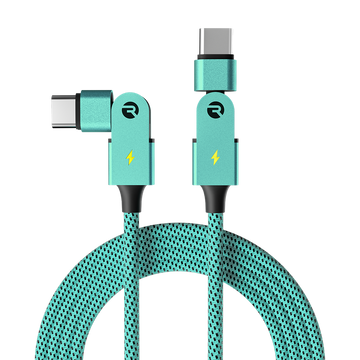
- USB to USB‑C Charging Cable
- Auxiliary Cable (3.5mm)
- Quick Start Guide & Compliance Booklet
Unit at a Glance
- ANC LED Indicator
- ANC / EQ Button
- Volume Button
- Power Button
- Bluetooth Connection LED Indicator
- 3.5mm Auxiliary Input
- USB‑C Charging Port
- Charging LED Indicator
- Ear Cushions
Note: Diagram omitted in HTML version; labels retained.
Functions
Power Controls
- Hold 1.5s Power On
- Hold 3s Power Off
- Press Once Answer Call / End Call
- Hold 1s Reject Call (incoming)
- Press Once Play / Pause
Volume & Playback
- Volume Down: Press Once Volume −, Hold 1s Previous Track
- Volume Up: Press Once Volume +, Hold 1s Next Track
- Voice Command: Hold 1s
Sound Features
Balanced
Leveled sound for all‑around performance and warmth.
Bass
Bass‑boosted for tracks with strong beats.
Pure
Refined clarity to hear every note.
ANC Modes: Tap once to toggle between Noise Cancellation and Awareness Mode. Hold 2s to cycle EQ profiles.
- ANC On: Blocks unwanted noise for uninterrupted focus.
- Awareness Mode: Amplifies external sounds to stay connected to surroundings.
Using Your Headphones
Connecting via Bluetooth
- Hold the Power button for 3s to power on. The headphones enter pairing mode automatically.
- On your device, open Bluetooth settings and select Raycon Essential Headphones.
- To re‑enter pairing mode: hold the power button during startup until prompted, or hold ANC + Volume Down for 5s to power down and disconnect.
Charging Your Device
- Plug the USB‑C connector into the charging port on the left earcup.
- Charging LED glows red while charging; turns blue when fully charged.
- Full charge takes about 2 hours. Headphones cannot play while charging.
LED Status
Charging LED (Left)
- Solid Red: Charging
- Solid Blue: Fully Charged
Connection LED (Right)
- Alternating Blue/Red: Pairing Mode
- Solid Blue: Connected
- Blinking Red: Low Power
Advanced Features: Multipoint
Connect to two devices at once (e.g., phone + laptop) and switch automatically to the device playing audio.
Setup
- Pair the headphones with your first device (e.g., smartphone).
- Disconnect from the first device via its Bluetooth settings (headphones re‑enter pairing mode).
- Pair with the second device (e.g., laptop).
- Turn the headphones off and on; they’ll reconnect to both devices when available.
Troubleshooting / FAQ
Headphones won’t power on
- Charge the battery; charging LED shows red while charging.
- Use the provided USB‑C cable and a reliable power source.
No sound when connected (Bluetooth)
- Stay within 10 m (33 ft) of the source device.
- Check battery levels on both devices.
- Reconnect: power cycle the headphones or forget & re‑pair.
No sound over 3.5mm AUX
- Check volume on the source, app, and headphones.
- Ensure the cable is intact and fully seated.
Multipoint not working
- Ensure the headphones are charged and not locked to a single device.
- Re‑enter pairing mode and reconnect both devices.
How to clean ear cushions
- Remove cushions before cleaning.
- PU leather: hand‑wash with soapy water/damp cloth; avoid harsh chemicals.
- Avoid getting moisture inside earcups.
Safety & Warranty
Product Specifications
- Model: RBH810
- Pairing Name: Raycon Essential Headphones
- Bluetooth Version: 5.3
- Power Input: DC 5V/1A
- Li‑Battery Capacity: 500 mAh
- Bluetooth Playtime: ~50 hours
- Charging Time: ~2 hours
- Profiles: A2DP / AVRCP / HFP / HSP
- Frequency Response: 20 Hz – 20 kHz
- Operating Range: ≤ 10 m
Limited Warranty
Covered by a limited warranty. See rayconglobal.com/warranty.
Support
Visit rayconglobal.com/support for help.
Safety Guidelines
- Beware of sharp edges on accessories/packaging.
- Listen at a proper volume; avoid hearing damage.
- Avoid high temperatures and prolonged liquid exposure.
- Do not drop, modify, or disassemble the product.
- Do not use diluents/volatile liquids to clean.
- Avoid hazardous locations.
Compliance & Regulatory Information
FCC
This device complies with Part 15 of the FCC Rules. Operation is subject to the conditions that the device does not cause harmful interference and must accept any interference received, including interference that may cause undesired operation. Changes or modifications not expressly approved could void authority to operate.
Tested to meet Class B digital device limits per Part 15. If interference occurs, try: reorient/relocate the receiving antenna, increase distance between equipment and receiver, connect to a different circuit, or consult a technician.
ISED Canada
This device contains license‑exempt transmitter(s)/receiver(s) and complies with ISED RSS(s). Operation is subject to the conditions that the device may not cause interference and must accept any interference.
Radiation Exposure
Complies with Canada radiation exposure limits for an uncontrolled environment. Evaluated to meet general RF exposure requirements. Suitable for portable exposure.