Raycon Everyday Clip Earbuds - 26e-0126 - Full User Manual
Raycon Everyday Clip Earbuds - 26e-0126 - Full User Manual
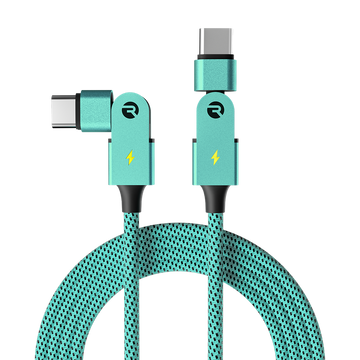
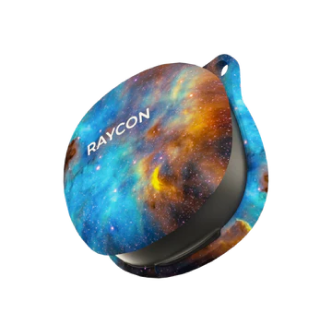
What's in the Box
Unit at a Glance
Finding the Best Fit
Place the round speaker against the inner ridge of your ear and the rectangular battery compartment behind your ear.
Adjust the earbuds for a secure and comfortable fit. It's recommended to wear the earbuds at an angle of 0 to 30 degrees. You can adjust this angle based on your personal preference. Improper positioning may affect comfort or sound quality.
Please note the control button should always face down.
Functions / Button Control
Both the left and right earbuds share the same controls.
| Function | Action |
|---|---|
| Play / Pause | Press once |
| Answer Call | Press once |
| End Call | Press once |
| Reject Call | Press twice (while receiving a call) |
| Skip Track | Press twice |
| Previous Track | Press 3 times |
| Switch Sound Profile | Press 4 times |
| Power On | Hold 5 seconds |
| Power Off | Hold 10 seconds |
Charging & Checking Battery Level
Plug In
Plug the USB-C connector into the capsule port.
Charging Indicator
When charging, the Capsule LEDs will start flashing white. Once fully charged, the LEDs will hold a solid white light.
Removing Earbuds
When one or both earbuds are removed from the capsule, the LEDs will flash white once.
Earbud Charging
If the earbuds are placed back in the capsule, the right and left LEDs will illuminate to show charging. When fully charged, the capsule LEDs will turn off.
Battery Level Indicators
LED Status
| LED Indication | Status | Meaning |
|---|---|---|
| Solid White | Capsule | Fully charged |
| White Flash (once) | Capsule | Earbuds placed or removed |
| Solid Red | Capsule | Earbuds inside and charging |
Opening the capsule lid or pressing the reset button on the back will display the current battery level.
Correct Earbud Placement
To ensure proper charging, make sure your earbuds are placed correctly in the case.
- Control button on each earbud faces the front of the charging capsule
- Both earbuds sit securely without movement
- First and fourth LED lights on the capsule will turn solid red
- Earbuds may not be fully seated and may feel loose or wobble
- Improper contact with the charging pins
- Front LED lights will not be illuminated
Connecting via Bluetooth
Remove from Capsule
Before first use, remove the protective film from the charging capsule. Take the earbuds out of the capsule - they will automatically turn on and enter Bluetooth pairing mode. You will hear "Pairing Mode."
Pair Your Device
On your device, go to Bluetooth settings and select "Raycon Everyday Clip Earbuds" from the list. When successfully paired, you will hear "Connected."
Multipoint
Multipoint allows you to connect your earbuds to up to two devices simultaneously, such as your smartphone and tablet. Once paired with both devices, they will automatically switch to whichever device is playing audio. Both devices must be within Bluetooth range (33 feet / 10 meters).
How to Set Up Multipoint
Pair earbuds with your first device
Put earbuds back in the charging case
Disconnect from first device via Bluetooth settings
Remove earbuds from case (re-enters Pairing Mode)
Pair with your second device
Earbuds will now connect to both devices when turned on
Troubleshooting / FAQ
Bluetooth Connection / Sound Interference
- Ensure speaker is within 10 meters (33 feet) of connected Bluetooth device
- Check the battery level - if the battery level of either the earbuds or your connected device is low, it can cause a weak or dropped connection
Capsule Will Not Charge
- Using the provided USB-C charging cable, make sure the cable is firmly plugged into the charging case and USB-C power adapter
Earbuds Will Not Charge
- Ensure the charging case is charged (LED on front should be solid white)
- Confirm there is nothing blocking the earbuds from connecting to the case
- Insert earbuds into the case and confirm a solid LED on the front, indicating that the earbuds are charging
Multipoint Is Not Working
- Confirm both earbuds are charged and disconnected from any Bluetooth device
- Confirm earbuds are in pairing mode and reconnect devices to Bluetooth
Resetting Your Earbuds
- Place both earbuds into the charging capsule and keep the lid open
- Press and hold the button on the back of the charging capsule for 10 seconds
- The LED lights on the front of the capsule will blink 5 times to confirm the reset
Cleaning Instructions
- Earbuds: Use a soft, dry cloth to gently wipe the exterior. Avoid abrasive materials that could scratch the surface.
- Charging Capsule: Use a soft, dry cloth or slightly damp cloth. Avoid harsh chemicals, water, or excessive moisture.
Product Specifications
Safety & Warranty
Safety Guidelines
- Be wary of any edges, uneven surfaces, and metal parts to prevent injury or damage
- Listen to music at proper volume to avoid damaging your hearing and earbuds
- Do not store in high temperatures, such as in a hot vehicle or in direct sunlight
- Do not expose the earbuds or any supplied parts to rain or other liquids for extended periods
- Do not drop or cause undue impact to the earbuds
- Do not modify, repair, or dismantle the product on your own
- Do not use any diluent or volatile liquid to clean the product
- Do not use the product in a hazardous location
- Ensure all port covers are securely closed if exposing charging capsule to liquid
- Do not expose the earbuds to water while charging
- When cleaning, use a soft dry cloth. For stains, dampen with water only
Limited Warranty
Your Everyday Clip Earbuds are covered by a limited warranty. Visit rayconglobal.com/warranty for more details.
Support
If your device is not functioning properly, email support@rayconglobal.com for customer support.
Compliance & Regulatory
FCC Warning: This device complies with Part 15 of the FCC Rules. Operation is subject to the following two conditions: (1) This device may not cause harmful interference, and (2) this device must accept any interference received, including interference that may cause undesired operation. Any changes or modifications not expressly approved by the party responsible for compliance could void the user's authority to operate the device.
This equipment has been tested and found to comply with the limits for a Class B digital device, pursuant to Part 15 of the FCC Rules. The device has been evaluated to meet general RF exposure requirements and can be used in portable exposure conditions without restriction.
ISED Canada: This device contains licence-exempt transmitter(s)/receiver(s) that comply with Innovation, Science and Economic Development Canada's licence-exempt RSS(s). This device may not cause interference and must accept any interference, including interference that may cause undesired operation. This equipment complies with Canada radiation exposure limits set forth for an uncontrolled environment.
RDID: D755-26E-0126